
Just Volleyball Controls: Full Keybind List
Every just volleyball control on keyboard and mouse, from bump and spike to set, dive, block, dash, and camera zoom, plus the settings that matter.
Just volleyball uses WASD to move and the mouse cursor to aim every contact. That second half is the part new players underestimate. The cursor decides where the ball goes; your character's facing only decides which animation plays. If you learn one thing before launch, learn to move the cursor before you press the contact button.
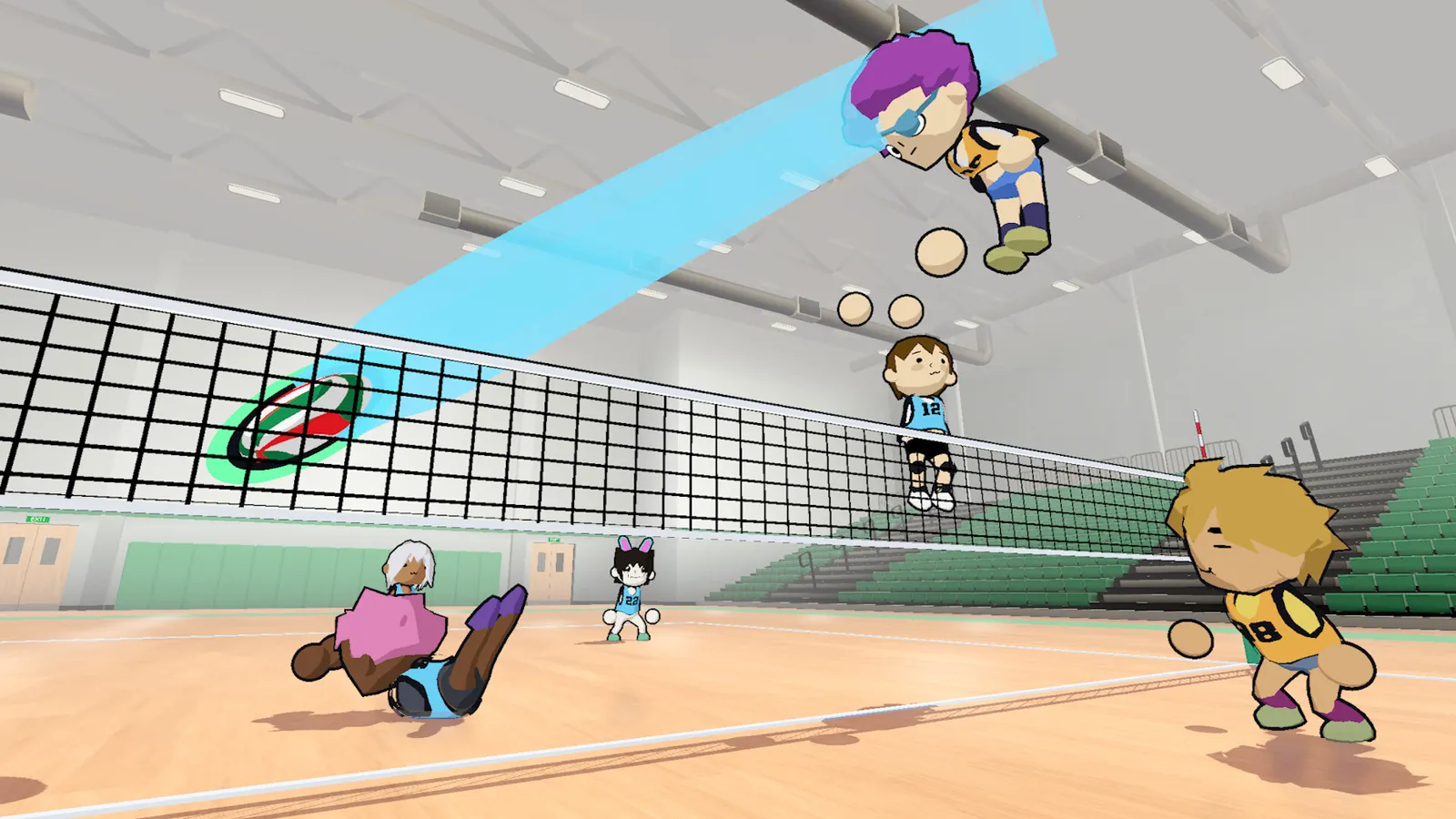
Move with your left hand, aim with your right hand. The ball follows the cursor, not the direction your avatar is looking.
The full keyboard and mouse map
This is the scheme used in the demo and the public playtest builds. Bindings are stored per player profile, so you can change them without affecting anyone else on the same PC.
| Action | Input | When it applies |
|---|---|---|
| Move | W, A, S, D | Always |
| Aim cursor | Mouse movement | Always |
| Bump / receive | Left mouse button | On the ground |
| Spike | Left mouse button | In the air |
| Set | E (hold to charge) | When the ball is near |
| Dive | Right mouse button | On the ground |
| Block | Right mouse button | In the air |
| Jump | Space (hold to charge) | On the ground |
| Strafe | Shift | While moving |
| Dash | Ctrl or double-tap a direction | On the ground, costs stamina |
| Camera switch | C | Always |
| Zoom | V or mouse wheel | Always |
| Quick chat | 1, 2, 3, 4 | During a match |
The same button does two jobs depending on whether you are airborne. Left click is a receive on the floor and a spike at the net. Right click is a dive on the floor and a block at the net. That context switch is deliberate: it keeps the important contacts on two fingers.
What each contact actually does
Left click on the ground: bump and receive
A bump sends the ball toward the cursor. If you are passing to a teammate, put the cursor on that teammate, not on the spot where you want the ball to land. The game interprets your aim as a target, and the pass arcs toward it. Aiming at empty space is how you give the setter a chase ball.
Left click in the air: spike
A spike is a downward attack. Jump first, then click while the ball is in front of you. The cursor sets the landing spot, so aim at the gap between defenders rather than at a defender's chest. If you click too early, you will swing at air; too late, and the ball will already be past you.
E: set
The set is the bridge between a pass and an attack. Hold E to charge and release to send the ball; the charge affects the arc and distance. Aim at the hitter's approach path, not at the hitter's body. A set that lands in front of the attacker is hittable; a set that lands on top of them is not.
Right click on the ground: dive
The dive is a last-resort reach. It covers ground quickly and gets your hands under low balls, but it costs stamina and leaves you prone for a moment. Use it when the ball is about to hit the floor, not as a default movement option.
Right click in the air: block
A block is a wall at the net. Jump, then hold or click right mouse to put your hands up. The cursor position matters: you can seal one angle, but you cannot cover the whole net alone. In 4v4 and up, blocking is a team job, and a solo block is usually a setup for the defender behind you.
Space: jump
Jumping is contextual. Near the net it loads an attack or a block; in the backcourt it is a recovery tool. Holding Space charges the jump, which changes the timing of your contact. A charged jump is not automatically better; it is a different timing window.
Shift: strafe
Strafe locks your movement to a sideways slide while your cursor stays on the ball. This is how you track a rally without turning your back on the play. It is also the key that replaced the old jump-cancel trick in later builds; the developer has said the interaction is being reworked, so expect it to change.
Ctrl or double-tap: dash
Dashing is a short burst that costs stamina. It closes a gap or recovers from a bad angle. The October tutorial update added it, which tells you the developer wants movement to be a resource decision rather than a constant sprint.
Camera and zoom
C is the camera switch. V and the mouse wheel zoom. The default camera is a three-quarter view that keeps the net and your teammates in frame; zooming out helps in 5v5 and 6v6, where the court is crowded. Zooming in helps in 1v1, where the ball is the only thing that matters.
If you feel disoriented, do not change the camera first. Change the zoom. A wider view makes the cursor's relationship to the court easier to read, and it costs nothing.
Gamepad support: the honest answer
The Steam store metadata does not list Xbox or PlayStation controller support. It lists keyboard and mouse categories, and the game is built around a cursor that a right stick can emulate but not match in precision. Rock Paper Shotgun's hands-on says the author played the demo with a controller, using the left stick to move and the right stick to aim, so a controller path existed in that build.
That is mixed evidence, not a promise. If you want to play on a couch, test it at launch and be ready to fall back to a lap desk. If you want to compete online, keyboard and mouse is the safer investment. The settings page covers the per-profile binding menu and the camera options.
Five mistakes that make the controls feel broken
- Aiming with movement keys. WASD moves your body. It does not aim the pass. New players hold W and wonder why the ball goes forward into the net.
- Clicking too early on a spike. The contact window is short. Jump, wait for the ball to enter your reach, then click.
- Spamming dive. Dive is a recovery, not a sprint. Two dives in a row will leave you with no stamina and no position.
- Setting at the hitter's feet. Aim at the space in front of the attacker. The set should lead them, not wait for them.
- Ignoring the charge. Holding E or Space changes the timing and the arc. A tapped set and a charged set are different passes.
A ten-minute control drill
You do not need a full match to learn the scheme. In an empty court or a bot match:
- Spend two minutes serving at different cursor spots. Watch how the ball curves when you hold a direction.
- Spend three minutes passing to a fixed target. Put the cursor on the target and repeat until the arc is predictable.
- Spend three minutes setting to a spot near the net, then spiking from that spot. This is the pass-set-hit chain you will use in every rally.
- Spend two minutes diving and dashing until you can feel the stamina limit.
The drill is boring on purpose. The controls are simple to list and hard to internalise, and the players who look smooth in footage have already separated the two hands. Once the cursor is automatic, the serve guide and spike guide become much easier to apply.
FAQ
Can I rebind keys in just volleyball?
Yes. Bindings are stored per player profile in the settings menu, not in a single global options file.
Is there controller support?
The store page does not promise it. A controller was used in the demo, but keyboard and mouse is the supported default.
How do I spike?
Jump, then left click while the ball is in reach. Aim the cursor at the open floor.
How do I block?
Jump, then right click in the air. Position yourself opposite the hitter's approach.
What does Shift do?
Strafe. It slides you sideways while keeping your aim on the ball.
Further reading
Tested source: demo and playtest control scheme cross-checked against the Steam store page and Rock Paper Shotgun's hands-on.
More just volleyball Guides
Every just volleyball team size explained, from the 1v1 duel to the full 6v6 court, with the best mode for beginners and the settings that change a lobby.
A plain-language just volleyball tutorial: the rally flow, the three-touch pattern, each position, and the fastest way to survive your first online match.
A step-by-step guide to playing just volleyball with friends online, on LAN, in split-screen, or via Steam Remote Play, plus fixes for common lobby problems.
How just volleyball multiplayer works across online play, LAN, split-screen, and co-op, including the server browser, lobby sizes, ping, and moderation.
The free public playtest opened on September 23, 2026 on a separate Steam app. Here is how it differed from the demo and whether it is still running.
The developer quoted a $7.99 base price for just volleyball with a 38% launch discount. Here is what is confirmed, what is not, and how regional pricing works.
The defensive half of just volleyball: how to receive a serve, set a hittable ball, position behind the block, and cover the court without wasting stamina.
Just volleyball still shows November 4 on Steam, but temkosoft says the launch will slip. Here is the current status and the realistic new window.