
Just Volleyball Steam Deck: What We Know
Just volleyball has no official Steam Deck rating. ProtonDB shows one provisional platinum report, which is promising but not proof. A realistic outlook.
Just volleyball is a Windows-only Steam game, so Steam Deck support depends on Proton, Valve's compatibility layer. As of November 2, 2026, there is no official Valve rating for the game. ProtonDB lists a provisional platinum tier, but that label comes from a single report and the site itself marks the confidence as inadequate. That is a hint, not a guarantee.
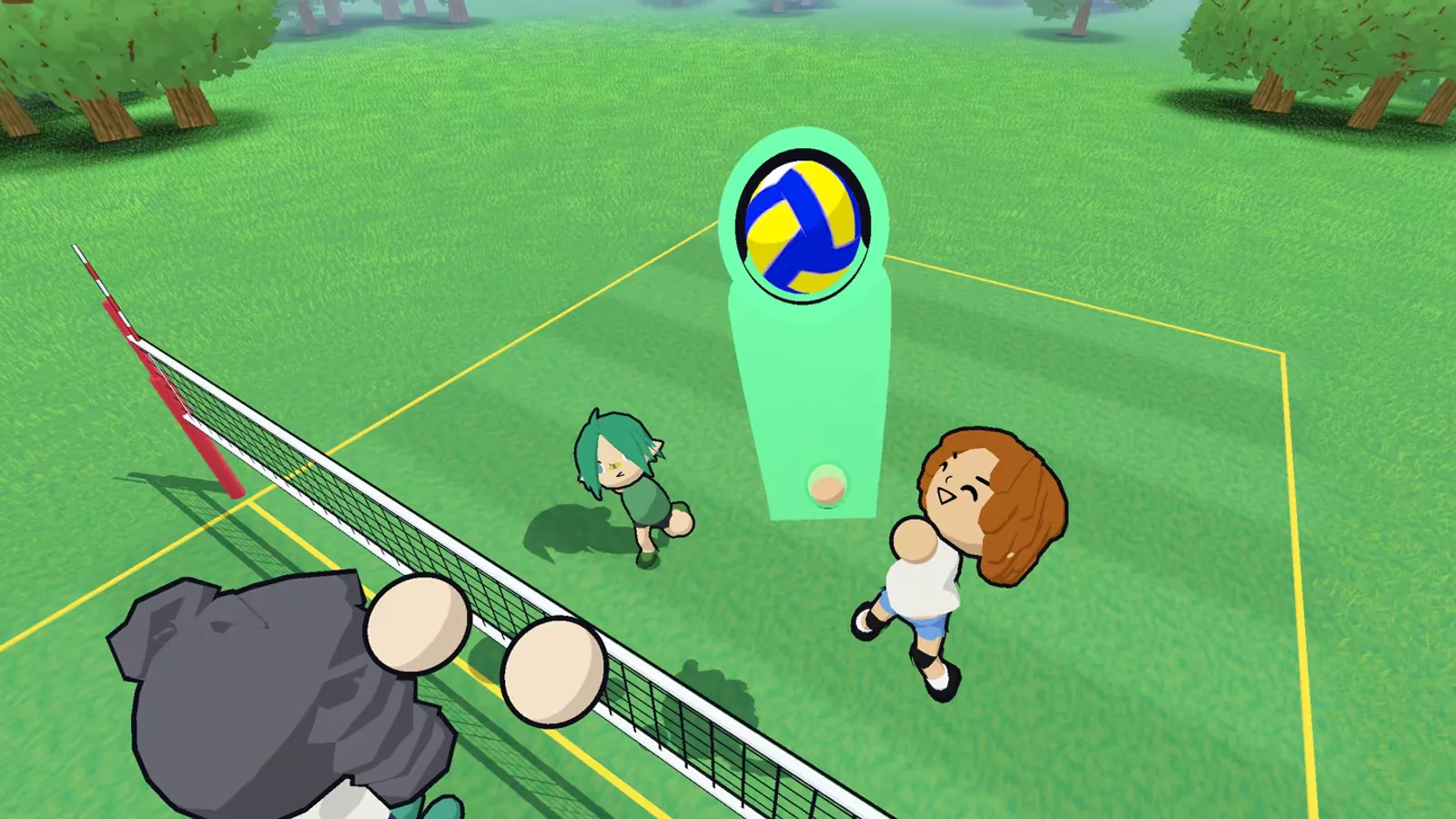
It will probably run. Whether it is a good way to play is a separate question, because the game is built around a mouse cursor and the store does not list controller support.
The compatibility picture
| Signal | Status | What it means |
|---|---|---|
| Valve Deck rating | None | Valve has not tested or rated the game |
| ProtonDB tier | Provisional platinum | One report, low confidence |
| Native Linux build | No | Proton is required |
| Controller support | Not listed | Keyboard and mouse is the default |
| Storage | 500 MB | Tiny, even for the 64 GB Deck |
| GPU requirement | OpenGL 3.3 / HD 630 class | Well below the Deck's capability |
The hardware is not the concern. The Deck's APU is far above the game's minimum and recommended GPUs. A 500 MB game with simple geometry should run comfortably. The unknowns are Proton compatibility and input.
What "provisional platinum" means
ProtonDB tiers run from borked to platinum. Platinum means the game runs well after installing, without tweaks. Provisional means the tier is based on limited data and may change. A single report is enough to create a provisional entry, but it is not a community consensus.
The site's own confidence field says "inadequate," which is the correct reading. One person installing the game, launching it, and reporting a good result does not prove that every mode, every lobby, and every replay works. Treat platinum as "no known blocker," not as "verified."
The input problem
Just volleyball is designed around a mouse cursor. The cursor decides where every contact goes, and the difference between a good pass and a bad one is often a few pixels. The Steam Deck has two trackpads, a touchscreen, and a gyro, but none of them is a mouse.
Three ways to play on Deck:
- Trackpad plus gyro. The right trackpad emulates the mouse; gyro fine-tunes the aim. This is the closest analogue, and it takes practice.
- Docked with a mouse and keyboard. The Deck becomes a small PC. This is the most accurate option and the one to use if you care about online matches.
- Controller-only. The demo had a controller path, according to Rock Paper Shotgun, but the store metadata does not list controller support. Do not assume it will work at launch.
If you plan to play competitively, dock the Deck. If you plan to play 1v1 or 2v2 casually, the trackpad is workable after an adjustment period.
Performance expectations
The game's requirements are so low that the Deck should hit its 60 Hz screen without much trouble. The variables are Proton overhead and the game's renderer. OpenGL titles can run well through Proton, but they can also hit driver-specific bugs that a Windows machine never sees.
A reasonable expectation:
- 720p handheld: smooth, with the default settings.
- 800p handheld: likely smooth; the Deck's native resolution is not demanding for this game.
- Docked 1080p: likely smooth, but test before a tournament.
- Battery: a lightweight game should give a good runtime, but the screen and Wi-Fi are the real draw.
Do not expect official performance numbers before launch. The developer has not published Deck benchmarks, and the ProtonDB sample is too small.
What to test on day one
If you buy the game for Deck, run this checklist before you commit to a control scheme:
- Launch the game in handheld mode and confirm it reaches the menu.
- Start a bot match and check the frame rate.
- Try the right trackpad as a mouse. Adjust the sensitivity.
- Try gyro aiming. If it feels worse, turn it off.
- Join an online lobby and check the ping.
- Try a split-screen or local match if you plan to dock.
If the game does not launch, try a different Proton version in the Deck's compatibility settings. ProtonDB comments usually name the version that works; check the page again after launch, when more reports arrive.
Docked vs handheld
Docked is the better experience for this game. A mouse and keyboard solve the input problem, and a monitor solves the cursor visibility problem. Handheld is for practice, 1v1, and casual matches.
The dock also gives you Ethernet, which matters more than the GPU for online play. A wired Deck with a mouse is a credible budget setup. A handheld Deck on Wi-Fi is a compromise.
Should you buy the game for Deck?
If the Deck is your only PC, yes, with the input caveat. The game is cheap, small, and undemanding. If you own a gaming PC, play there and use the Deck as a secondary device. If you are buying a Deck specifically for this game, wait for post-launch reports; the provisional rating is not enough to justify the purchase on its own.
The system requirements page confirms how far below the Deck's hardware the game sits. The controls guide explains why the cursor matters so much, which is the real reason to dock the Deck.
FAQ
Is just volleyball Steam Deck verified?
No. Valve has not rated it. ProtonDB has a provisional platinum entry based on one report.
Will it run on Steam Deck?
Probably, through Proton. The hardware is well above the requirements; the unknowns are Proton compatibility and input.
Can I use a controller on Steam Deck?
The store does not list controller support. The Deck's trackpad can emulate a mouse, and a docked mouse and keyboard is the safer option.
Is it playable handheld?
Yes for casual modes, with practice. Competitive play benefits from a docked mouse and keyboard.
Further reading
Official source: ProtonDB for the compatibility report and just volleyball on Steam for platform and input metadata.
More just volleyball Guides
Fast answers on the just volleyball release date, price, demo, crossplay, gamepad support, LAN, split-screen, system requirements, and launch status.
Every just volleyball team size explained, from the 1v1 duel to the full 6v6 court, with the best mode for beginners and the settings that change a lobby.
A plain-language just volleyball tutorial: the rally flow, the three-touch pattern, each position, and the fastest way to survive your first online match.
A step-by-step guide to playing just volleyball with friends online, on LAN, in split-screen, or via Steam Remote Play, plus fixes for common lobby problems.
How just volleyball multiplayer works across online play, LAN, split-screen, and co-op, including the server browser, lobby sizes, ping, and moderation.
The free public playtest opened on September 23, 2026 on a separate Steam app. Here is how it differed from the demo and whether it is still running.
The developer quoted a $7.99 base price for just volleyball with a 38% launch discount. Here is what is confirmed, what is not, and how regional pricing works.
The defensive half of just volleyball: how to receive a serve, set a hittable ball, position behind the block, and cover the court without wasting stamina.